Releases
OpenAI launches Dots: always-on ChatGPT agents with their own computers
On 29 September, OpenAI launched Dots: ChatGPT agents that keep working on their own cloud computer after you log off. Here is what they do, who gets them, what they cost, and how to try one safely.
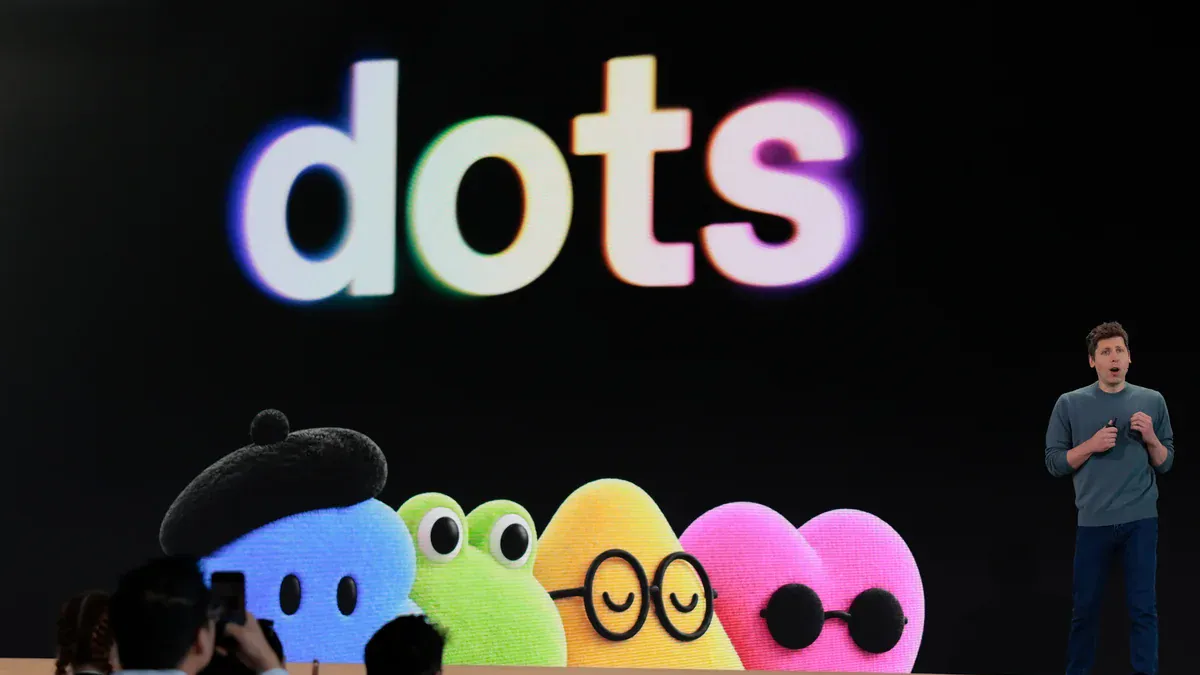
Dots in ChatGPT Launch release
2026-09-29
Always-on AI agents inside ChatGPT, each with its own cloud computer, powered by GPT-6 Astra.
- Works toward goals you set, even when you are offline
- Connects to 4,000+ apps through plugins
- Reachable from ChatGPT, Slack and Teams
- First dot included with ChatGPT Pro and Business Premium
OpenAI launched Dots on 29 September 2026. A dot is an AI agent (a program that works through tasks on its own, not just answers questions) that lives inside ChatGPT and keeps working after you close the app. Each dot runs on its own cloud computer that you can check on at any time.
For a small business, the idea is simple: you give a dot a goal, and it works on it in the background while you do something else.
What's new
- It keeps working. You set a goal. The dot works toward it, learns your preferences from your feedback, and sends progress updates or questions.
- It has its own computer and browser. Each dot has its own browser and can connect to more than 4,000 apps through OpenAI plugins.
- You can reach it where you work. Talk to it in ChatGPT on desktop, web or mobile, or in Slack and Microsoft Teams. Texting is listed as coming soon.
- It can act without being asked. In the background it uses read-only access to your connected apps to do research and spot things that need doing.
- It runs on GPT-6 Astra, OpenAI's top model from earlier this month.
One example from the launch coverage: a developer's dot noticed he needed to send an invoice for freelance work, pulled the details from an email thread and drafted it. After he approved it, the dot sent the invoice as a PDF.
Who gets it, and what it costs
- Plans: Dots arrive first for ChatGPT Pro and Business Premium. Enterprise, Edu and Healthcare plans get a beta.
- Cost: One dot is included with Pro and Business Premium at no extra charge. Pricing for extra dots has not been announced. Usage in your first month does not count against your plan limits.
- Pro prices: OpenAI also brought back the Pro 200 plan at $200 a month and added a new Pro 500 tier at $500 a month, according to OpenAI's release notes as tracked by Releasebot. I did not find a published price for Business Premium.
- Where: OpenAI says the rollout is for "eligible markets". Pro subscribers in the European Economic Area, Switzerland and the UK are excluded for now. I could not confirm whether Kenya is included, so check your own account.
- Wait time: some accounts may take several days to get access.
Safety controls
An agent that can act on your accounts needs limits. OpenAI describes these:
- A dot's computer is isolated from yours unless you connect it.
- Saved passwords are not shown to the AI model.
- Built-in rules decide when a dot can act alone and when it must ask. You can add your own rules.
- An "auto-review" step checks actions that affect your accounts or share information.
- Sensitive tasks, such as changing a password, need you to step in.
- A monitoring system can pause or stop a dot if it sees a safety concern.
Same-day releases
OpenAI announced several other things on 29 September. According to Releasebot:
- GPT-6.1 Sol, a lower-cost model that matches GPT-6 Astra on coding and professional tasks. API prices are $2 per million input tokens and $10 per million output tokens.
- Codex updates for developers, including cloud environments and a code-review plugin.
- ChatGPT collaboration tools: shared documents (Pages), a project workspace (Space), recurring team tasks, and @ChatGPT in Slack and Teams.
What to do about it
Dots are priced for teams that already pay for the top plans, so this is not for everyone yet. If you do have access:
- Start with one low-risk job. Good first tasks: summarising overnight email, drafting follow-ups on unpaid invoices, or watching a few competitor websites for price changes.
- Keep it read-only at first. Let it draft; you press send.
- Keep money and bank access out. Don't connect banking, M-Pesa or payroll tools while you are still learning how it behaves.
- Check its work for a week. Compare what it did with what you would have done, and tighten the rules where it guessed wrong.
- Mind your customers' data. Anything a dot can read, OpenAI's systems process. Check this fits your Data Protection Act obligations before connecting client files.
If you don't have access yet, this is a good week to list the three tasks you would hand over first. That list is the real preparation.
Sources
- OpenAI launches Dots, always-on AI agents in ChatGPT with their own cloud computers — SiliconANGLE
- OpenAI launches dots, always-on AI agents with their own cloud computers — The Next Web
- OpenAI release notes, late September 2026 — Releasebot
- OpenAI launches dots, always-on ChatGPT agents with their own computers — BetaNews